
I’ve run small content sites and done freelance design work for years, and watermarking images has always been one of those small, tedious tasks that’s harder than it should be. Desktop photo editors feel bloated for a simple stamp, and nearly every online watermark tool makes you upload your full-resolution images to their servers first. For client work, unreleased product photos, or personal pictures you don’t want floating around on random servers, that’s a real problem.
This image watermark tool was built to fix that. Everything runs entirely inside your web browser, right on your own device. Your original photos never get uploaded, processed, or stored on any remote server. You can add clean custom text watermarks or overlay your own brand logo, dial in every detail of the look, and process whole batches of photos at once. No software to install, no account to sign up for, no hidden watermarks we add ourselves — just your mark, your files, and full control.
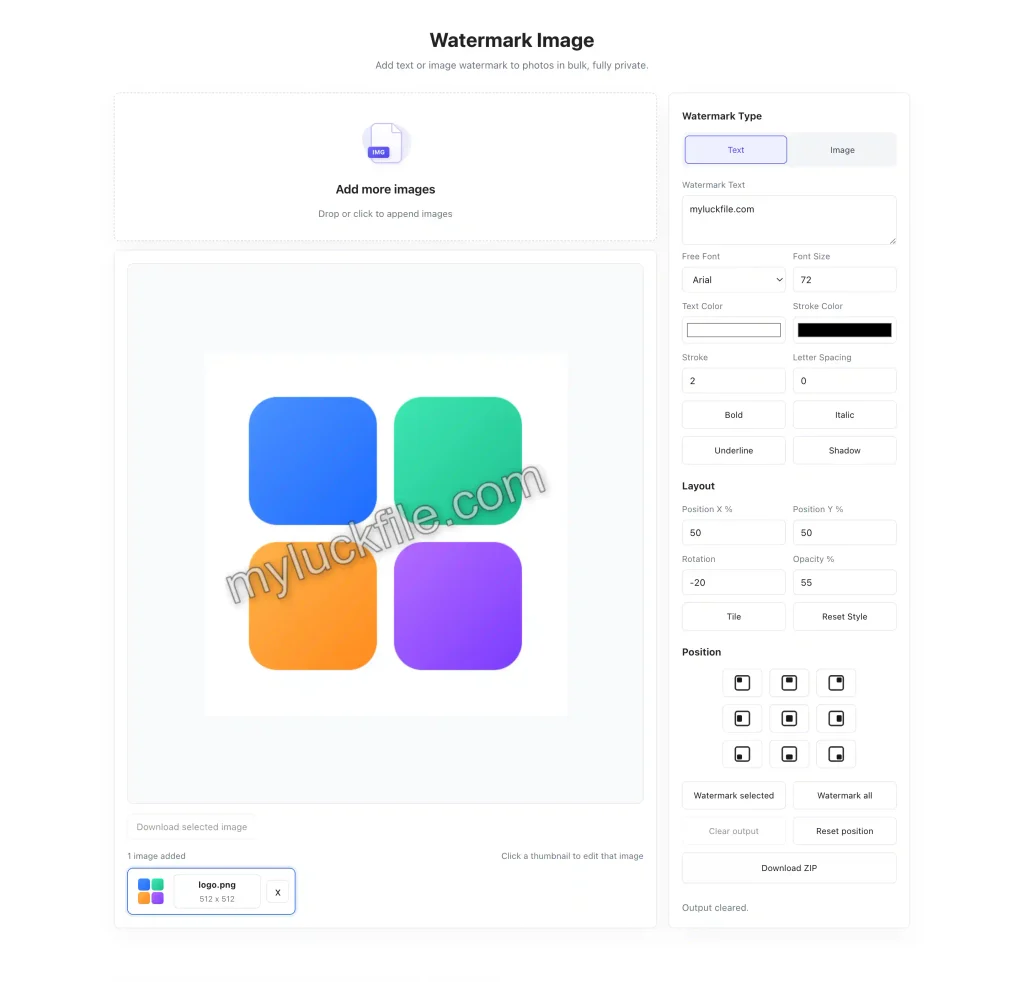
Custom Text Watermarks With Fine-Grained Style Control
Text watermarks are the quickest way to stamp your name, website, or brand onto photos. This tool doesn’t just give you a basic text box with a default font. You get full control over how the mark looks, so it can be subtle and professional, or bold and hard to miss.
You can pick from free built-in fonts, adjust the size to fit any image, and set exact text colors with hex values. Add a solid stroke around the text to make it readable over both light and dark backgrounds, or add a soft shadow for depth. Toggle bold, italic, or underline styles, and tweak letter spacing to get the look just right.
It works for everything from quiet copyright marks in the corner to bold website URLs across the middle of product photos. You can make it as noticeable or as unobtrusive as you need.
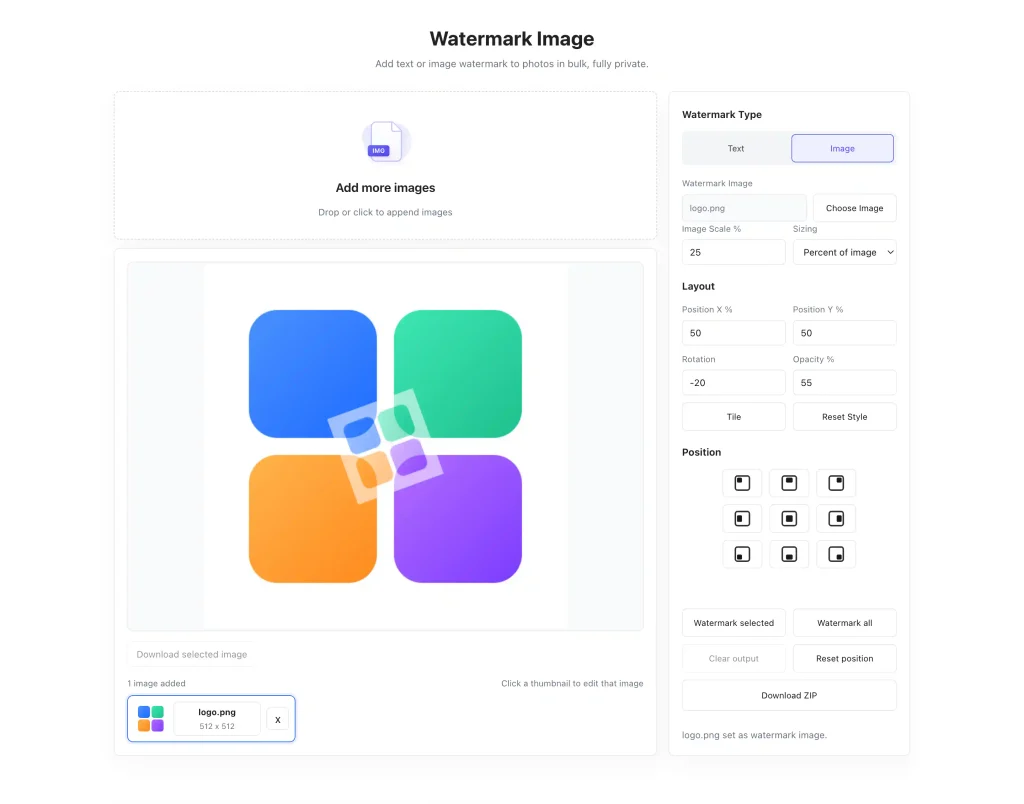
Use Your Own Logo Or Graphic As A Watermark
For brands, photographers, and businesses, a logo watermark looks cleaner and more professional than plain text. Switch over to image mode, upload your own PNG or JPG logo, and place it anywhere on your photo.
You can scale the logo up or down to the perfect size, adjust its opacity so it sits lightly over the image without distracting from the main subject, and rotate it to any angle. Many people use a diagonal semi-transparent logo across the whole image for maximum theft protection, others tuck a small mark in the corner for clean branding. Either way works, and you have full control.
Full Placement And Layout Control
Getting the watermark in exactly the right spot should not take guesswork. You can drag the mark anywhere on the image with your mouse, or use the 3×3 grid of position presets to snap it to any corner, edge, or the center with one click.
For more precise placement, you can dial in exact X and Y position percentages. Adjust the rotation angle to tilt the watermark, and tweak the opacity percentage to make it more or less visible. If you want stronger protection against image theft, use the tile option to repeat the watermark in a pattern across the entire photo.
Batch Process Whole Folders Of Photos At Once
Doing the same watermark setup ten times for ten different photos is a waste of time. This tool supports full batch processing, so you can drop in dozens of images, set up your watermark style once, and apply it to every photo in the set with a single click.
You can still tweak individual images if you need to, but for consistent branding across a whole set of product photos, event shots, or portfolio images, batch mode saves a huge amount of work. When you’re done, download all the watermarked images packaged up in a single ZIP file.
How to Watermark Your Images in a Few Simple Steps
You don’t need any design background to use this tool. The whole process is intuitive, and you can go from upload to finished files in under a minute.
- Upload your photos Drag and drop your JPG, PNG, or WebP images onto the page, or click to select files from your device. You can add one image for a quick edit or drop in a whole batch at once. Click any thumbnail to select and edit that specific image.
- Choose your watermark type Pick between text mode and image mode. For text watermarks, type in your brand name, website URL, or copyright text, then adjust the font, size, color, stroke, and other style settings to match your look. For logo watermarks, upload your own image file and set its scale relative to the photo.
- Position and fine‑tune the mark Drag the watermark anywhere on the image to place it exactly where you want it, or use the 3×3 position grid to snap it to any corner, edge, or the center. Adjust rotation, opacity, and tile pattern to get the exact look you’re going for.
- Apply and download Click “Watermark selected” to apply the mark to your current image, or use “Watermark all” to apply the same setup to every photo in your batch. When you’re done, download images individually or grab everything in a single ZIP file.
Your Photos Stay On Your Device, Always
This is the part that sets this tool apart from almost every other online watermark editor: none of your photos ever leave your browser. All the rendering and processing happens locally on your computer or phone, using your device’s own processing power.
There’s no server upload, no cloud storage, no third party ever sees your files. There’s no account required, no email address collected, no tracking. For anyone working with unreleased product images, client photos, personal family pictures, or any sensitive imagery, this is not an extra feature. It’s the entire reason this tool exists.
Who This Tool Is For
This watermark tool works well for anyone who needs to mark images without the hassle of desktop software or the privacy risk of cloud tools.
Photographers and creators can add subtle branding or copyright marks to portfolio images before sharing them online or sending them to clients.
E-commerce sellers can stamp product photos with their store name or logo to stop competitors from scraping and reusing their images.
Bloggers and content creators can protect custom graphics, screenshots, and original photos from uncredited reposting.
Personal users can add names or contact info to photos before sharing them on social media or messaging apps.
Frequently Asked Questions
Is this watermark tool completely free?
Yes. You can watermark as many images as you want, completely free. There are no hidden fees, no forced upgrades, and no default watermarks added to your files.
Do my photos get uploaded to a server?
No. Every part of the watermarking process runs locally in your web browser. Your original images are never sent to any remote server, and we never store copies of your files.
Can I use my own logo as a watermark?
Absolutely. Switch to image watermark mode and upload your own logo file. You can resize it, adjust opacity, rotate it, and place it anywhere on the photo.
Can I watermark multiple photos at the same time?
Yes. You can upload as many images as you want, set your watermark style once, and apply it to all of them in one batch. Download everything together in a ZIP file when you’re done.
Do I need to install software to use this?
No. This tool works entirely in your web browser. There’s nothing to download, install, or update. It works on any modern desktop or mobile browser.
Watermarking your photos shouldn’t require expensive software, and it definitely shouldn’t require handing your original images over to a random online service. If you want a fast, free, and private way to add text or logo watermarks to your photos, give this tool a try. It works right in your browser, and it’s ready to use right now.
Crop Image