
JPG to PDF
Merge JPG images into one PDF file, no cloud, no account needed.
A simple JPG to PDF converter built for speed and privacy.
Turn JPG, PNG, WebP, and GIF images into a single PDF directly in your browser. This tool is designed for fast everyday use, with local processing that keeps sensitive files on your device and out of unnecessary upload workflows.
Why choose a local JPG to PDF workflow?
A good image to PDF tool should do more than just convert files. It should feel fast, stay simple, and respect the privacy of the documents you handle every day. Local browser-based conversion reduces friction and makes the process easier to trust.
More control over sensitive files
When you convert screenshots, contracts, receipts, or personal records, local processing helps keep the workflow closer to your own device.
Less waiting, fewer steps
There is no need to upload large image batches, wait for remote processing, and download the result again before you can move on.
A cleaner everyday tool
Open the page, drop in your files, adjust the order, and export. The experience stays lightweight and focused on the job.
How to convert JPG to PDF online for free
The process is intentionally straightforward. Add your images, arrange the pages, adjust the layout settings if needed, and export the final PDF.
Add your images
Upload or drag in one or more JPG, PNG, WebP, or GIF files to start your PDF conversion.
Adjust order and layout
Drag to reorder pages and choose orientation, page size, and margin settings that match your output needs.
Export the PDF
Click convert and download the finished PDF. The result is ready for sharing, printing, or archiving.
Common use cases for JPG to PDF conversion
Combining images into a PDF is often the easiest way to create a cleaner, more portable file for work, study, or personal organization.
Work and admin files
Bundle invoices, scanned pages, expense receipts, whiteboard photos, or signed documents into one PDF for easier sharing.
School and submissions
Convert handwritten assignments, study notes, supporting materials, or project images into a single file for upload.
Personal document organization
Keep ID scans, application screenshots, travel records, or reference images together in a format that is easier to save and find later.
Frequently asked questions
Is this JPG to PDF converter free?
Yes. You can convert images to PDF without creating an account or paying for basic use.
Are my images uploaded to a server?
This page is built around local browser processing, which is intended to keep the conversion flow private and closer to your device.
What image formats are supported?
Along with JPG and JPEG, the tool supports PNG, WebP, and GIF images for conversion into one PDF document.
Can I print or share the generated PDF?
Yes. The exported file is suitable for email, printing, submissions, archiving, and other standard PDF workflows.
How to Convert Images to PDF Online
Combine your images into a single professional PDF document in seconds:
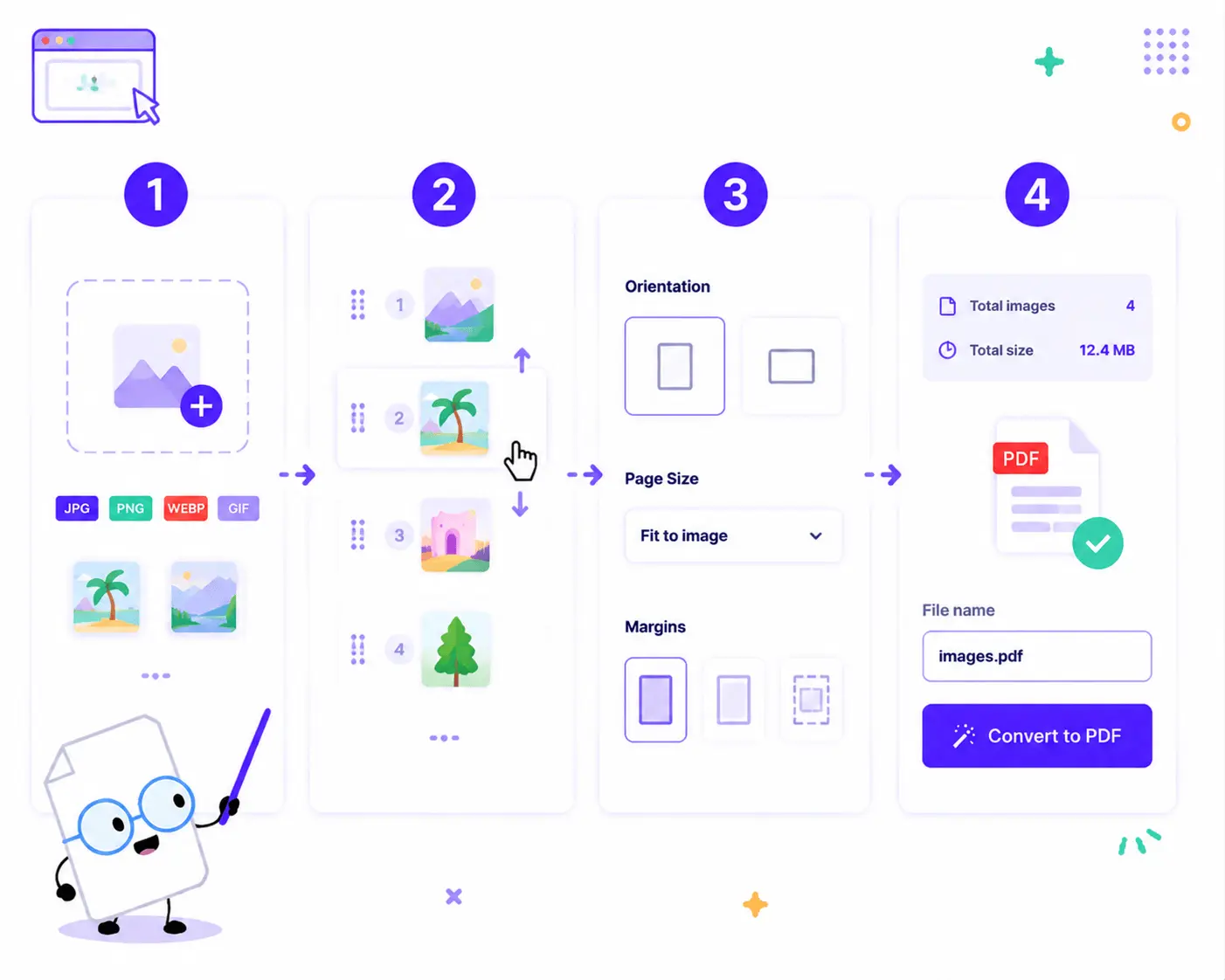
1. Upload Your Images: Drag and drop or click to choose your files. You can upload a mix of JPG, PNG, WebP, or GIF images all at once.
2. Reorder Your Pages: See something out of place? Simply drag the handles on the image thumbnails to rearrange them into your perfect page sequence.
3. Customize Your Layout: Use the sidebar to adjust the Page orientation (Portrait/Landscape), Page size (Fit to image or standard sizes), and Margins (No margin, thin, or wide).
4. Convert & Save: Customize your File name, review the final summary (total images and file size), and click Convert to PDF to download your file instantly.
Key Features of Our Image to PDF Converter

100% Private Local Conversion
Your security is our priority. This tool operates entirely via client-side code—no cloud servers are involved. Your sensitive files are never uploaded or stored online, and no account is required.
Smart Format Merger
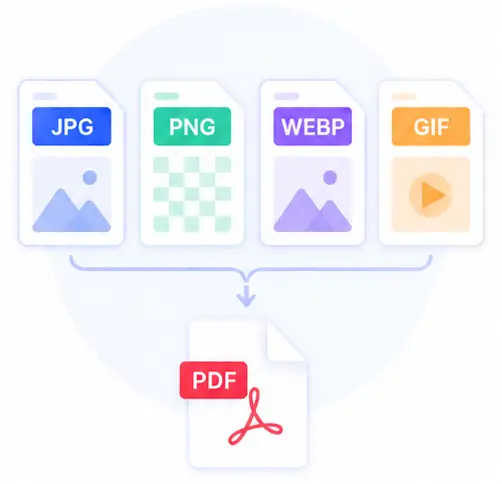
No need to pre-convert your graphics. You can seamlessly combine JPG, PNG, WebP, and even GIF images into a single, unified PDF document in one single batch.
Interactive Drag-and-Drop Reordering
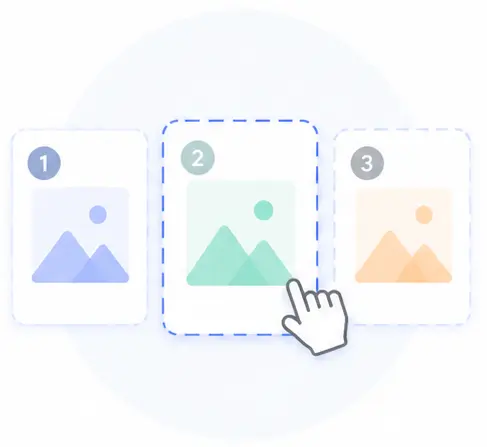
Take full control of your document structure. Our interactive preview area lets you visually rearrange the order of pages with easy drag-and-drop handles before processing.
Flexible Page Layout Controls
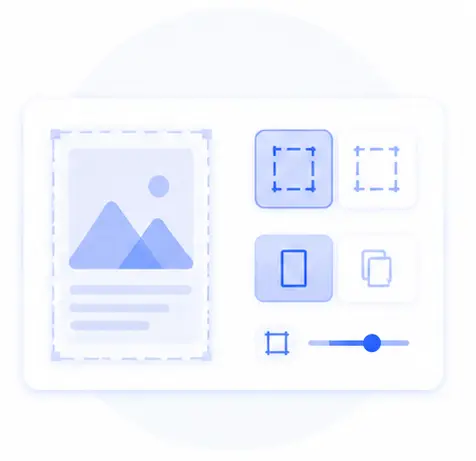
Tailor the output to your exact needs. Choose whether to fit the PDF page sizes perfectly to the original images or standard layouts, toggle orientation, and add sleek margins with a simple click.
JPG to PDF Converter FAQs
Is it safe to convert my private photos or documents into a PDF here?
Yes, absolutely. Unlike other online services that process files on remote servers, our converter runs entirely in your web browser. Because no cloud upload is involved, your data remains 100% private, secure, and strictly on your own device.
Can I combine different image formats into the same PDF file?
Yes! Our versatile tool allows you to batch-upload an assorted mix of JPG, PNG, WebP, and GIF images together. The tool automatically converts and merges them into a clean, multi-page PDF document.
How do I change the page order of my uploaded images?
Once your images are loaded into the preview area, you will see a handling icon on each thumbnail. Simply click and drag any image to move it to its correct position in the sequence before hitting the convert button.
Are there any file size limits or account registrations required?
No registration, no login, and no premium subscriptions are needed. Since the conversion processes locally using your computer’s power, there are no artificial file size or page count limits imposed by remote servers.