
Redact PDF
Permanently remove sensitive PDF content, nothing sent to servers.
How to Redact Sensitive Content from PDFs
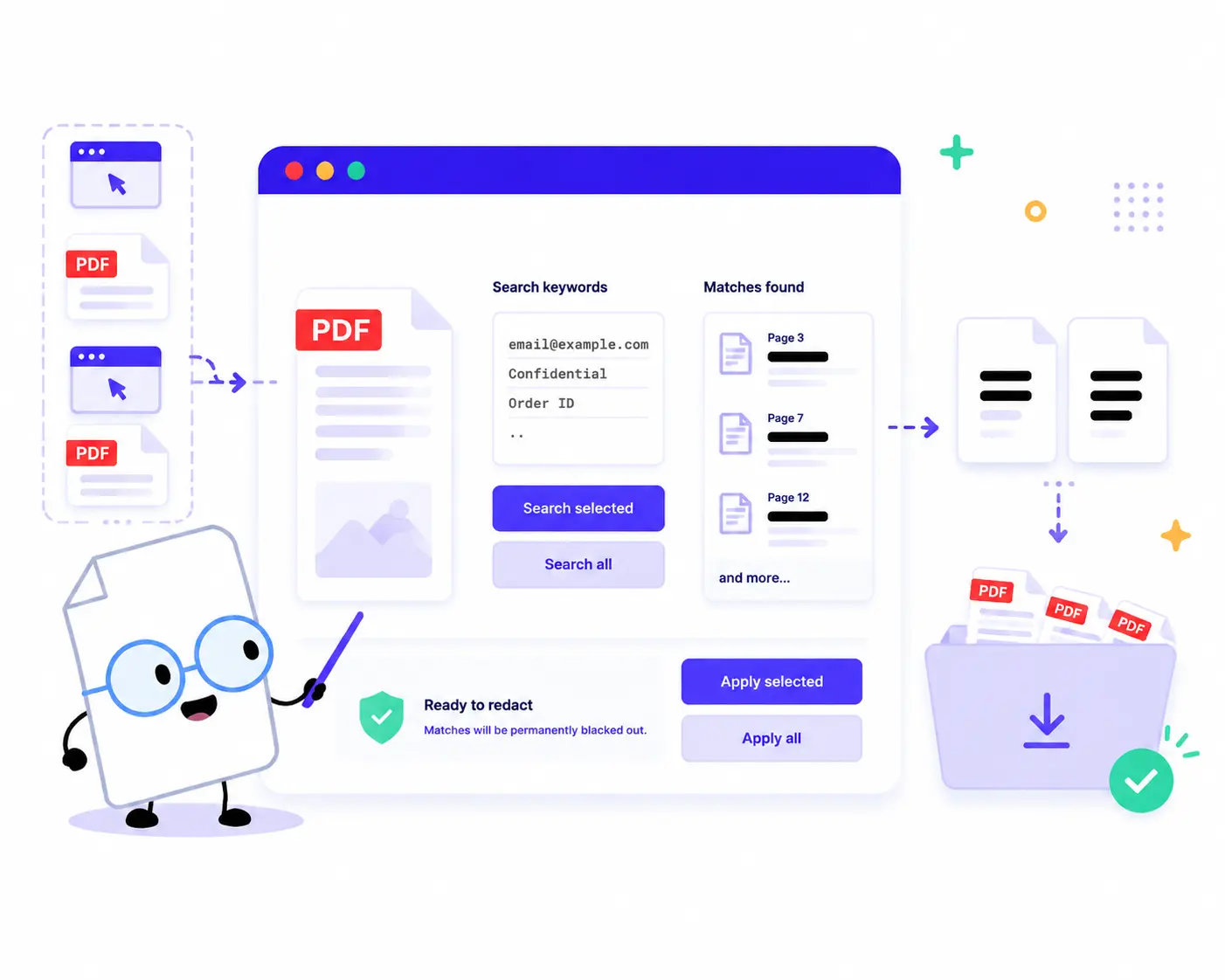
Blackout and protect private information in your documents with these simple steps:
1. Upload Your PDFs: Drag and drop or click to choose your documents. You can load a single PDF or add multiple files to redact them in bulk.
2. Enter Keywords to Redact: In the Search box, type the sensitive words you want to remove (such as [email protected], Confidential, Order ID), entering one keyword per line.
3. Scan for Matches: Click Search Selected or Search All to scan your documents. The tool will instantly locate all matching text inside your browser.
4. Apply Redaction: Review the found matches in the summary, then click Apply Selected or Apply All to permanently blackout the text with secure black bars.
5. Download Clean PDFs: Click Download ZIP to export your newly desensitized, secure documents.
Key Features of Our PDF Redaction Tool
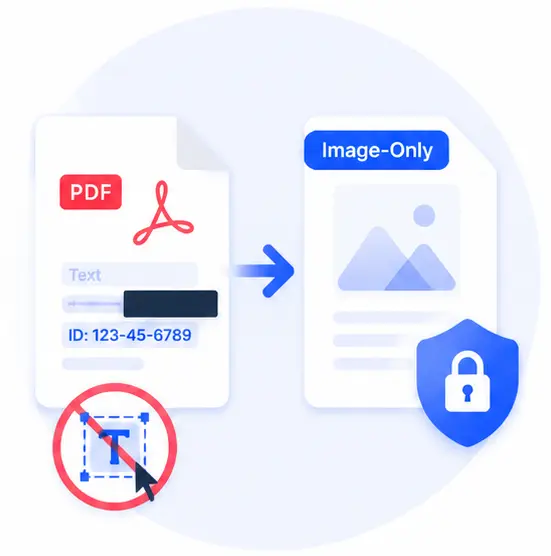
Permanently Safe (Image-Only Rebuild)
Traditional PDF editors just draw a black box over the text, meaning hackers can still copy the hidden text underneath. Our tool rebuilds the output files as image-only PDFs, making it completely impossible to recover or rip the redacted data.

100% Local Browser Processing
Your data privacy is non-negotiable. Since all search and rendering processes happen locally via client-side scripts, your financial, legal, or personal documents are never uploaded to an external cloud or server.
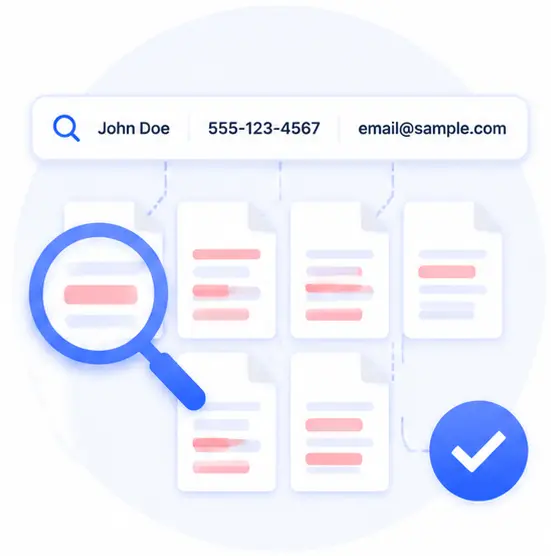
Smart Bulk Keyword Search
Save hours of manual scrolling. Simply input your list of names, numbers, or emails, and our intelligent system will find and cross out every single occurrence across multiple pages and files simultaneously.

Zero Cost, No Sign-ups
Redact highly confidential files instantly without creating an account, paying for premium subscriptions, or installing bulky desktop software.
Redact PDF Online FAQs
Is the blacked-out information completely unrecoverable?
Yes. Our tool doesn’t just hide the text; it flattens and re-renders the document so that the output files are rebuilt as image-only PDFs. This completely deletes the text layer, ensuring the redacted information can never be extracted, highlighted, or searched again.
Can I redact multiple PDF documents at the same time?
Absolutely. You can drop multiple PDFs into the workspace, type your target keywords, and click “Search All” followed by “Apply All” to batch-redact your entire folder in seconds.
Are my sensitive search keywords sent to your website?
No. Everything stays strictly inside your browser. Both your PDF files and the keywords you type into the redaction list are processed locally on your device and are never sent to any remote servers.
What kind of information should I use this tool for?
It is ideal for cleaning up credit card numbers, home addresses, phone numbers, personal IDs, emails, patient records, or any proprietary business secrets before sharing documents publicly.